
How it works
Connect. It studies. You ask.
Three steps. After connecting, all you see is questions, answers and charts.
Connect
You point to a database, your ERP or a folder of files. Titanium checks the connection by reading real data.
- Read-only, always
- Encrypted credentials
- If something is wrong, it tries the known fixes on its own
Titanium studies the data
Like an analyst on day one: it looks at every table, works out what a row represents and what the codes mean.
- Links between tables checked against the data
- Cancelled rows and drafts excluded automatically
- Every table documented in plain language
Ask
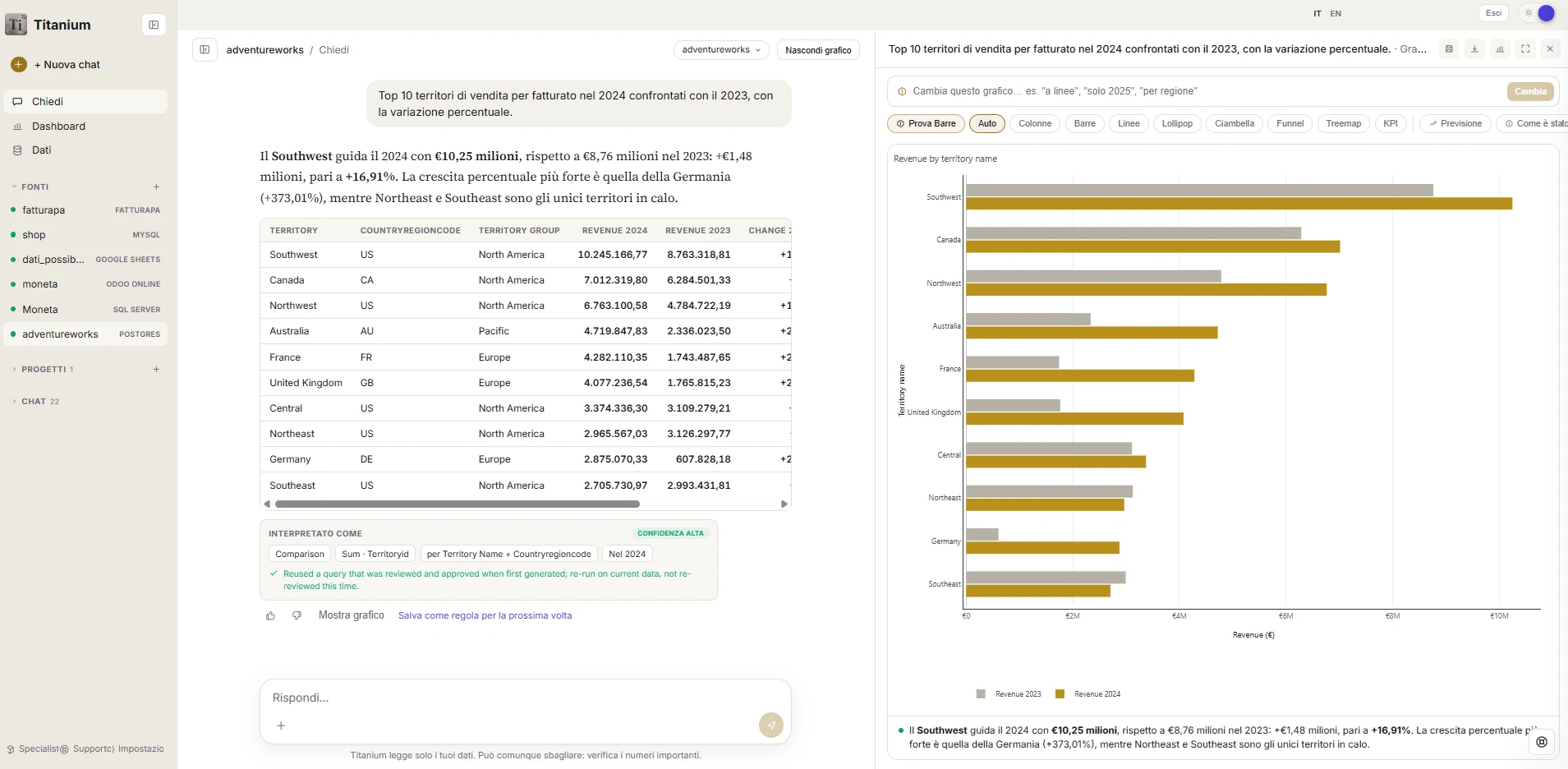
Type the question as you would ask a colleague or your analyst. The answer, the figures and the chart arrive.
- Italian or English
- The query is always viewable
- The chart is edited by talking
Behind every answer
Six agents, one step at a time.
- 01
Plans
Picks the right tables
- 02
Writes
Prepares the query
- 03
Reviews
Checks it answers the question
- 04
Protects
Allows reads only
- 05
Repairs
Fixes it if the database refuses
- 06
Tells
Answer in words and a chart
The stages in order: Plans, Writes, Reviews, Protects, Repairs, Tells.
Sources
The systems you already use.
 Banks
Banks SDI e-invoices
 PostgreSQL
 SQL Server
 MySQL
MySQL Oracle
 Odoo
Odoo FatturaPA
 Excel
Excel Google Sheets
 CSV / TSV
 ODS
ODS Google Drive
 OneDrive
 FTP
FTP PDF
PDF Word
Word PowerPoint
 Plain text
 Images
 HTTP API
Titanium
Ask your data its first question.
Tell us where your data is: we connect the first source together, read-only.